The Info Panel is a collapsible side panel that displays context-sensitive help and information for the active report.
Purpose
Provides context for a report — such as the dimension, filter, or dataset driving the current view — together with help relevant to the active report. Closing the panel restores the full width of the report view.
Opening and closing the panel
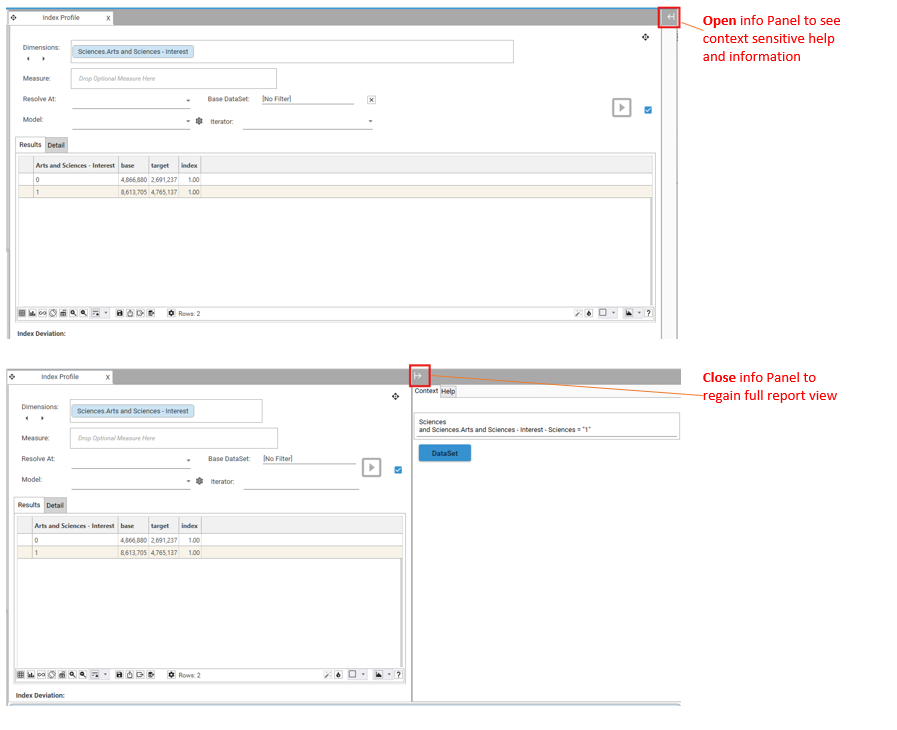
- The Info Panel button at the top-right of the report view opens the panel, which slides in from the right.
- Selecting the same button again hides the panel and restores the full report view.
Panel contents
When open, the Info Panel presents two tabs:
- Context — information about the current report selection. In the example above it shows the active dimension and filter (
Sciences.Arts and Sciences - Interest = "1") and a DataSet button. Selecting the DataSet button opens a DataSet Scratch for the active DataSet - Help — context-sensitive help for the current view.